PRODUCT DESIGN, WEB DEVELOPMENT

PRODUCT DESIGN, WEB DEVELOPMENT

carta — designing multi-lecture course selection feature for Stanford's course planning website

I led the design of a multi-lecture course selection feature for Carta, streamlining enrollment for 6000+ students. Through iterative user research with 15+ students, I developed solutions from low-fidelity sketches to high-fidelity mockups, translating student needs into intuitive interaction flows. Collaborating closely with engineering teams, I ensured technical feasibility while maintaining a student-centered approach throughout the design and implementation process.

MY ROLE

MY ROLE

MY ROLE

UI Designer

TEAM MEMBERS

TEAM MEMBERS

TEAM MEMBERS

1 UI Researcher

TOOLS USED

TOOLS USED

TOOLS USED

Figma
Google Doc

TIMELINE

TIMELINE

TIMELINE

10 weeks

CONTEXT

CONTEXT

CONTEXT

Carta is Stanford's course
planning platform

Carta regularly used by 95% of the student body at Stanford University.

Their approach is "Course planning, simplified through student insights."

MISSION STATEMENT

MISSION STATEMENT

MISSION STATEMENT

problem discovery

Many high-enrollment introductory courses at Stanford, such as Math 51, offer multiple lecture times under a single class listing.


In Carta, the current flow for selecting and adding a specific lecture time to the user's schedule is not supported at all, which can create confusion and ambiguity.

SOLUTION

SOLUTION

SOLUTION

schedule your quarter while keeping course overview

This design successfully balances maintaining competing needs of maintaining context while planning in a clean interface.

USER RESEARCH

USER RESEARCH

USER RESEARCH

talking to students

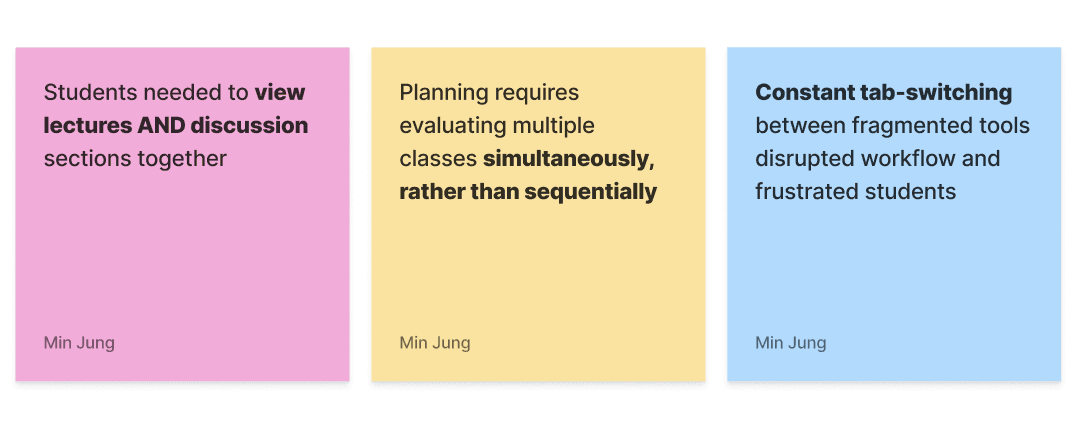
I wanted to talk to other students to understand the tools and processes used in schedule planning outside of Carta.

I interviewed 5 students from a variety of background from computer science, design, and human biology and document how they manage it, where they get confused/frustrated within their process, and what can be improved.

Here's what I learned:

HMWs

HMWs

HMWs

reframed challenges

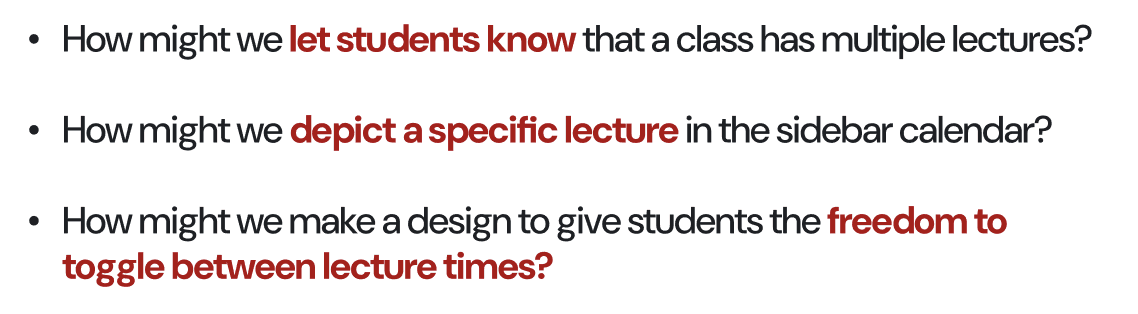
Based on these user insights these were the questions I came up with to guide myself throughout the project.

COMPETITIVE ANALYSIS & THE GAP

COMPETITIVE ANALYSIS & THE GAP

COMPETITIVE ANALYSIS & THE GAP

exploring Stanford resources

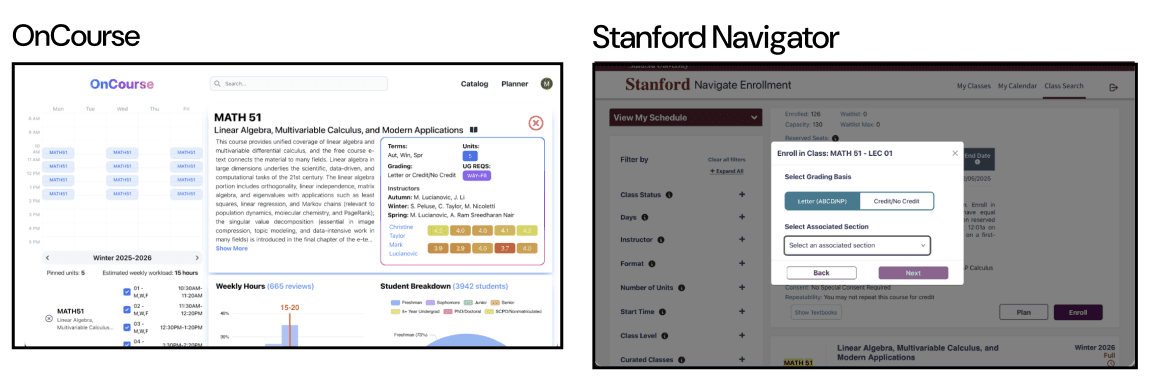
To understand existing design patterns, I looked at popular Stanford-specific tools like OnCourse and Enrollment Navigator.

They relied heavily on pop-ups or switching between views to check lecture times.


Again, from my user testing, these patterns often caused students to lose context. So one big takeaway was: students need to see the full schedule while making decisions.

exploring carta's existing design system

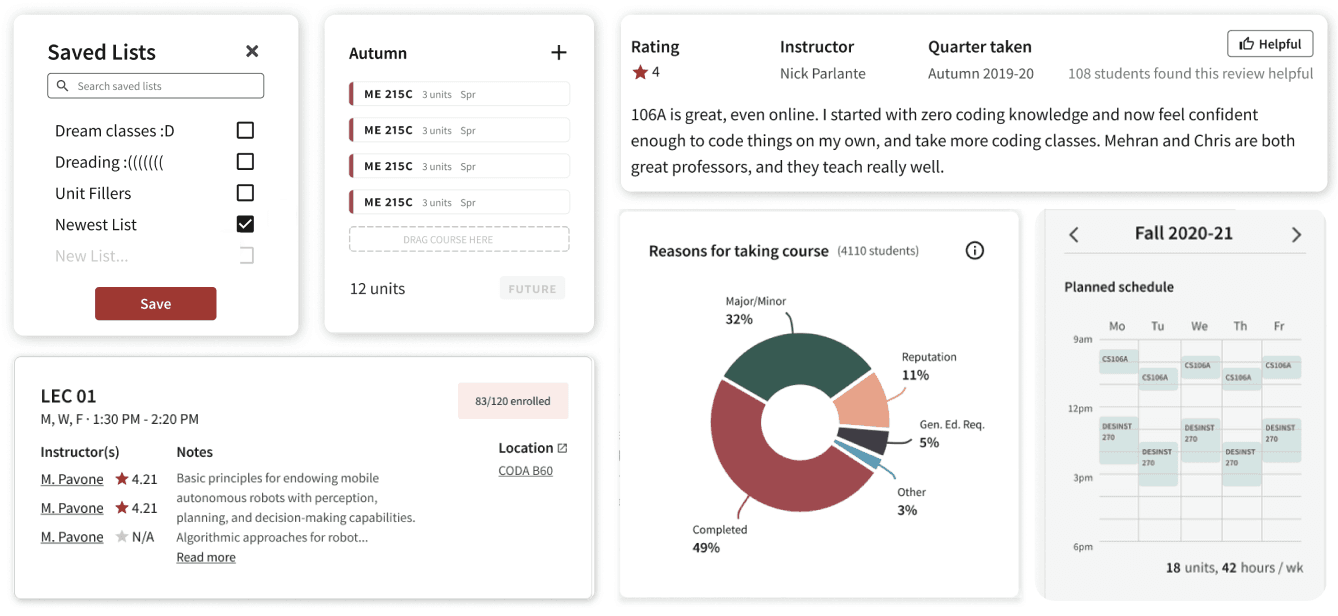
Because this feature lives inside Carta, I really wanted my solution design to feel like a natural extension from here.


Carta uses

  • Stanford’s cardinal red

  • card-based layouts

  • structured whitespace

clean, simple, and neutral

DESIGN PROCESS - FULL-SCREEN FLOW

DESIGN PROCESS - FULL-SCREEN FLOW

DESIGN PROCESS - FULL-SCREEN FLOW

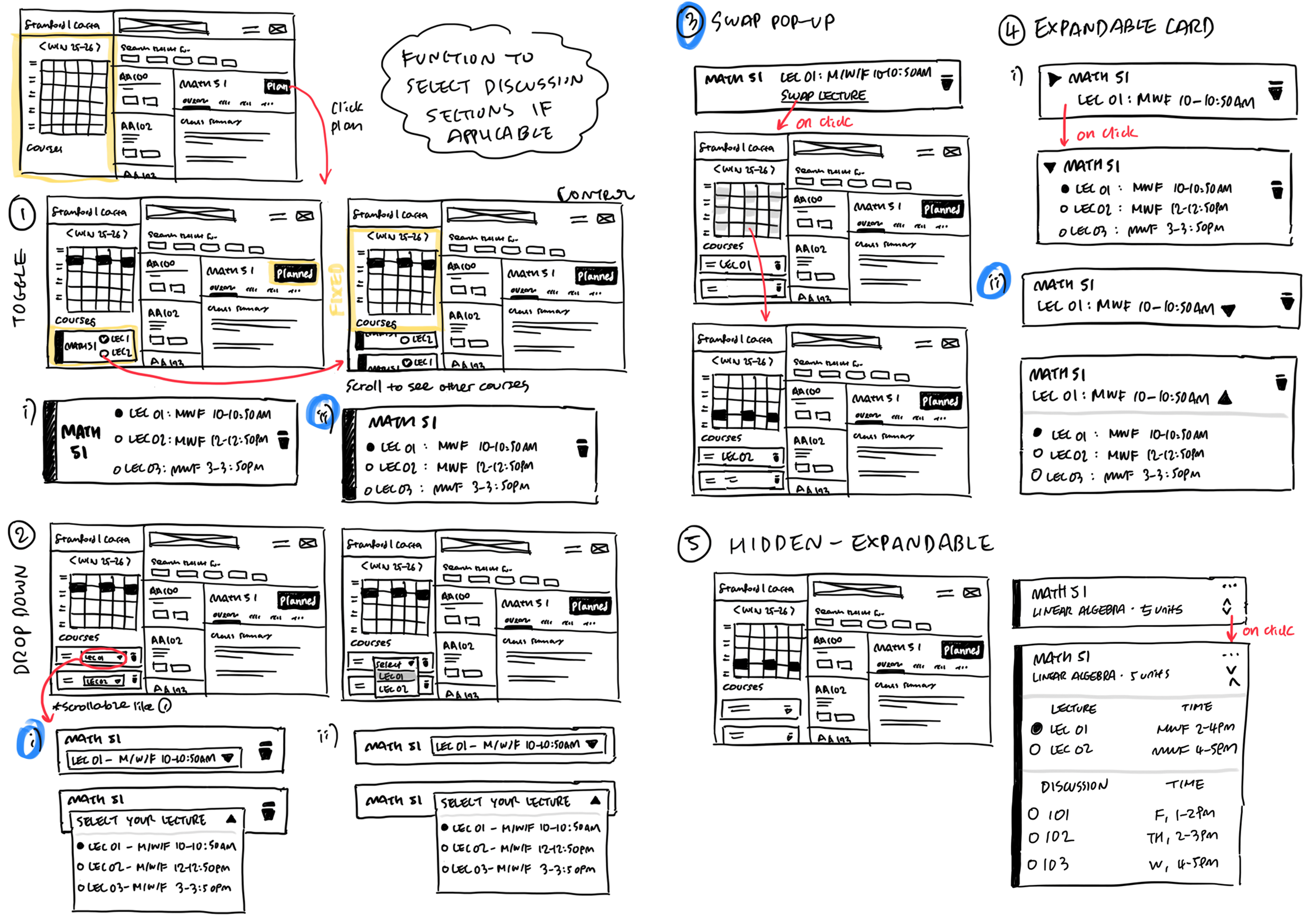
initial wireframe sketches

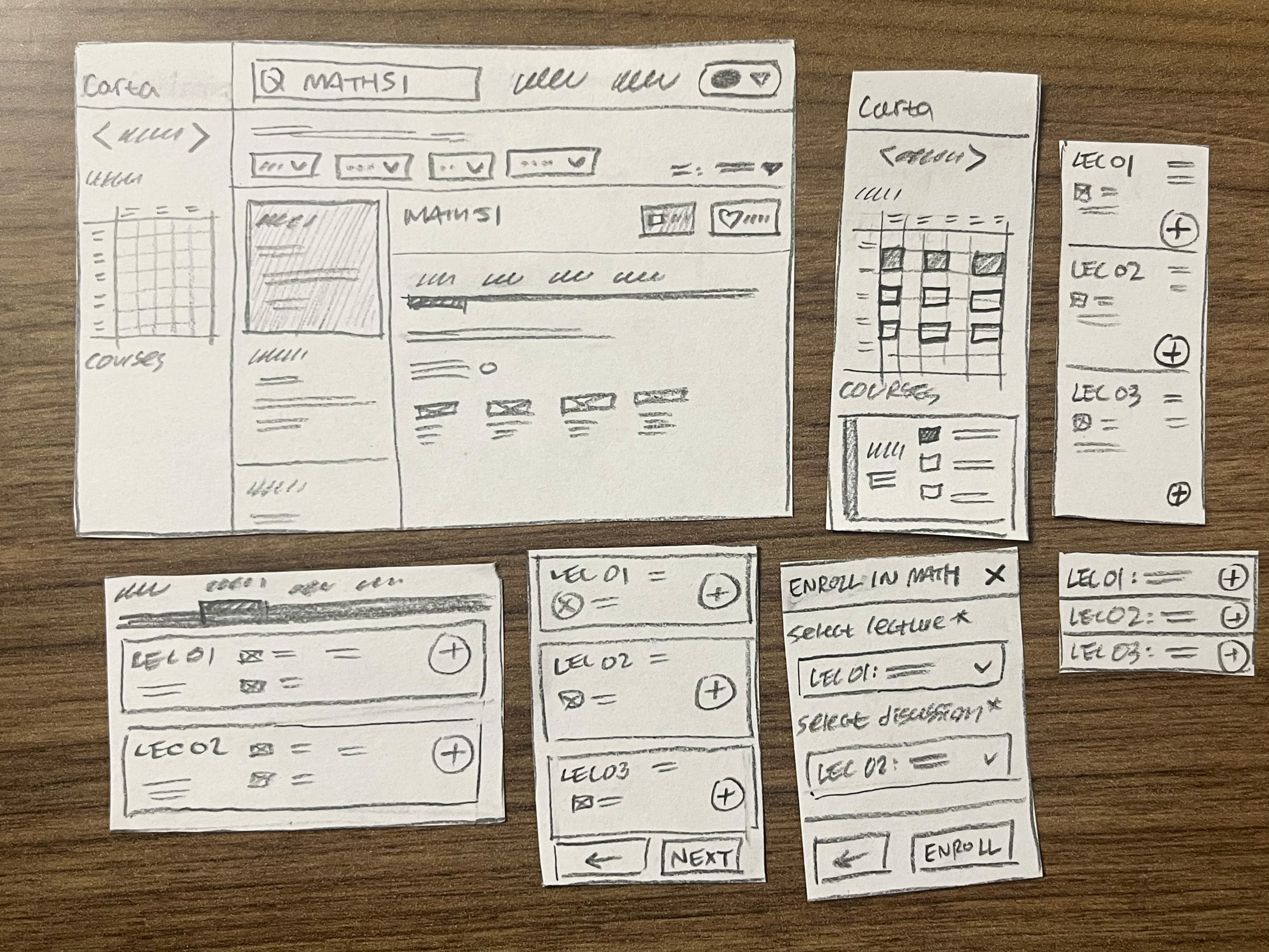
Based on my research and my own ideation, I prototyped five distinct interaction patterns on paper. after two rounds of lightweight testing with five students, I narrowed the concepts down to the two most intuitive approaches.

Five interaction patterns tested:

  • Toggle within calendar view

  • Center modal popup

  • Dropdown from "Plan" button

  • Dedicated schedule tab

  • Search bar dropdown menu

The image featured in the middle of the about us page

wireframing sketches

conducted 7 lightweight user A/B testings

After initial paper testing, I narrowed down to two interaction patterns based on feedback from the design team.

I recruited seven new student participants and focused on qualitative signals.

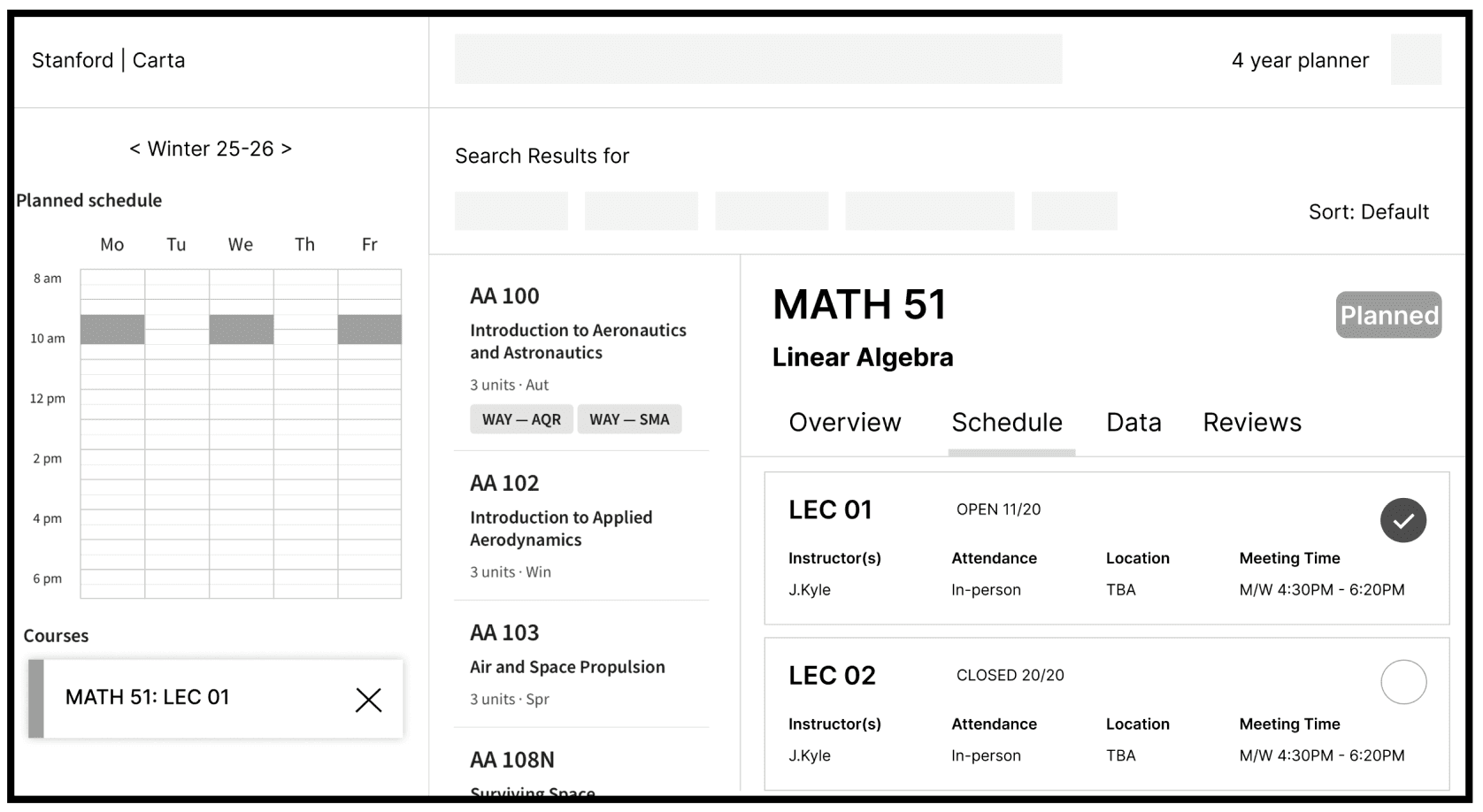
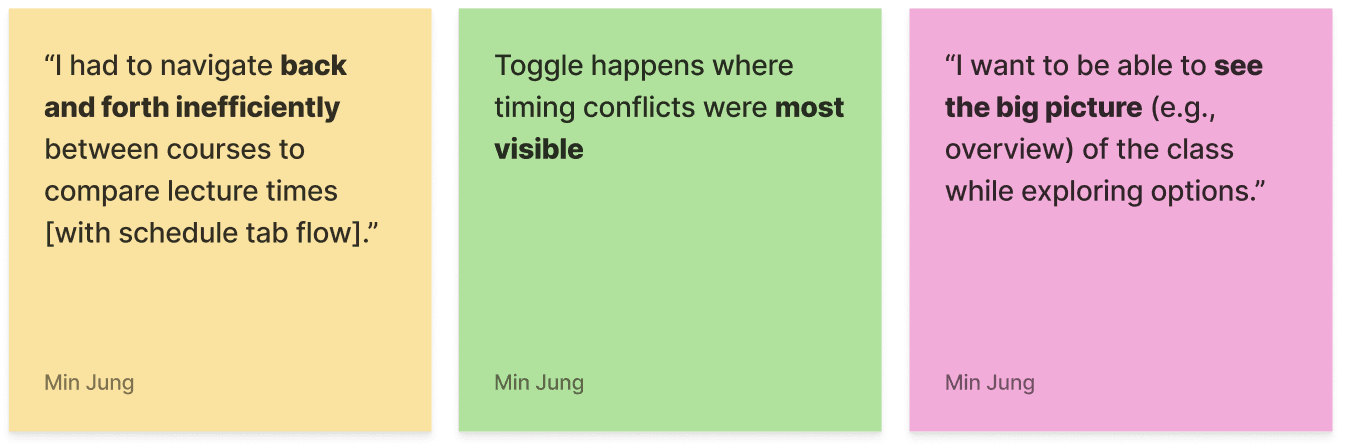
Flow 1 (dedicated schedule tab) required users to navigate back and forth inefficiently between courses when comparing lecture times

Flow 2 (calendar toggle) allowed seeing the big picture while exploring options

key insights + analysis

Overall, majority of the users preferred calendar toggle because it allowed comparison without losing context.

DESIGN PROCESS - FEATURE

DESIGN PROCESS - FEATURE

DESIGN PROCESS - FEATURE

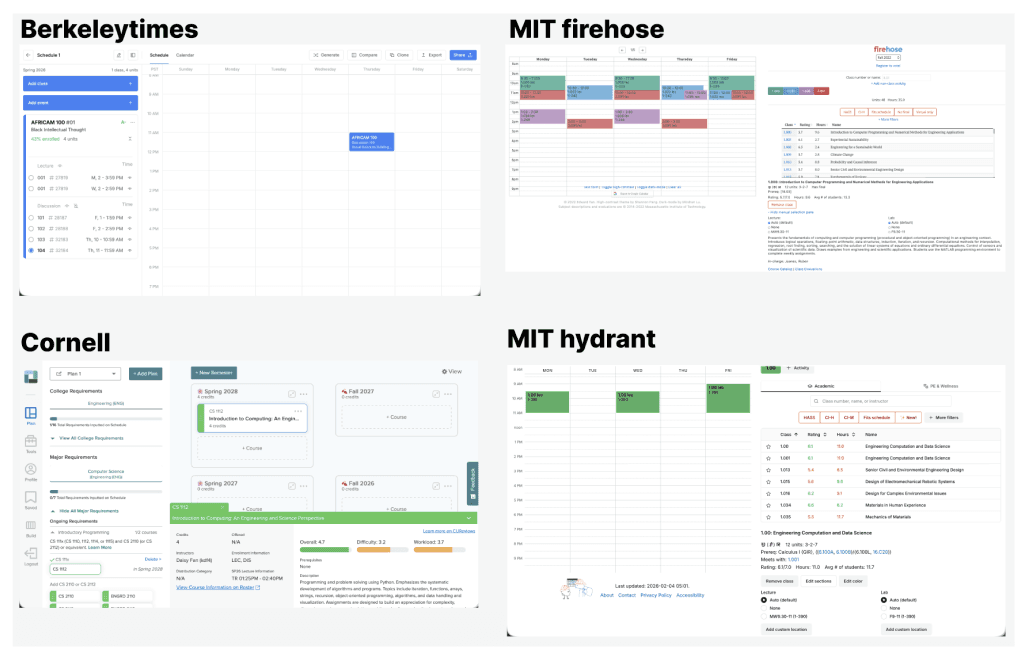
researching beyond Stanford

I researched course planning tools at peer institutions.

Across many of them, I noticed a consistent pattern: expandable dropdowns with immediate visual confirmation in a calendar view.

developing UI patterns

Some were inspired by peer institution while others built on Carta’s existing collapsible UI patterns.


After reviewing these with my mentor, we narrowed them down to three concepts to prototype digitally.

The image featured in the middle of the about us page

Carta uses collapsible, expandable components, so I prioritized maintaining this pattern for visual & functional consistency

setting usability goals before testing

My primary question was deciding which one best supports the most quick and confident swap between lectures to determine schedule fit?

Then I set three secondary testing goals.

  • Which design minimizes cognitive load and confusion?

  • Which supports comparison across options most naturally?

  • Which feels least intrusive in the context of planning a full schedule?

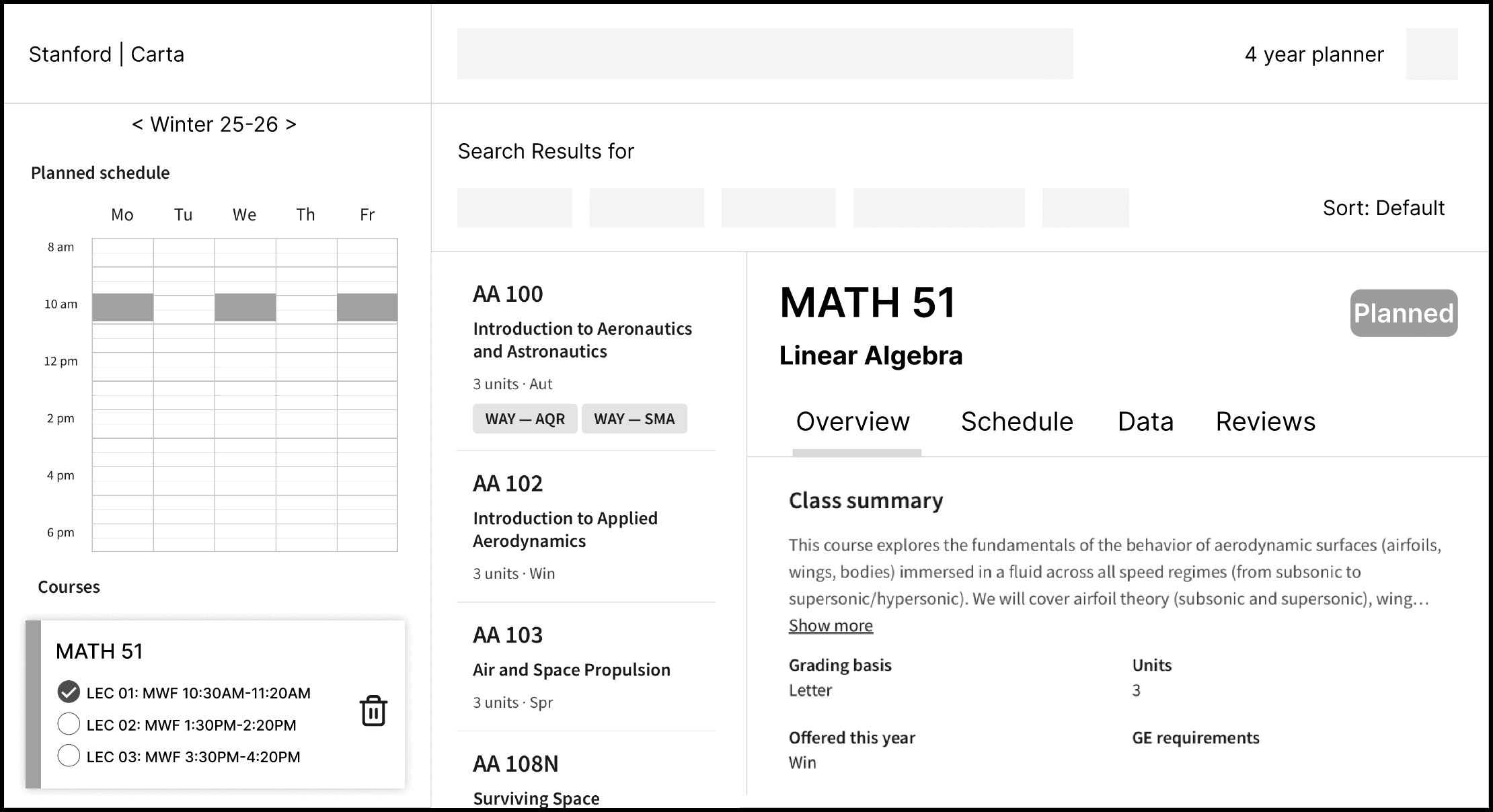
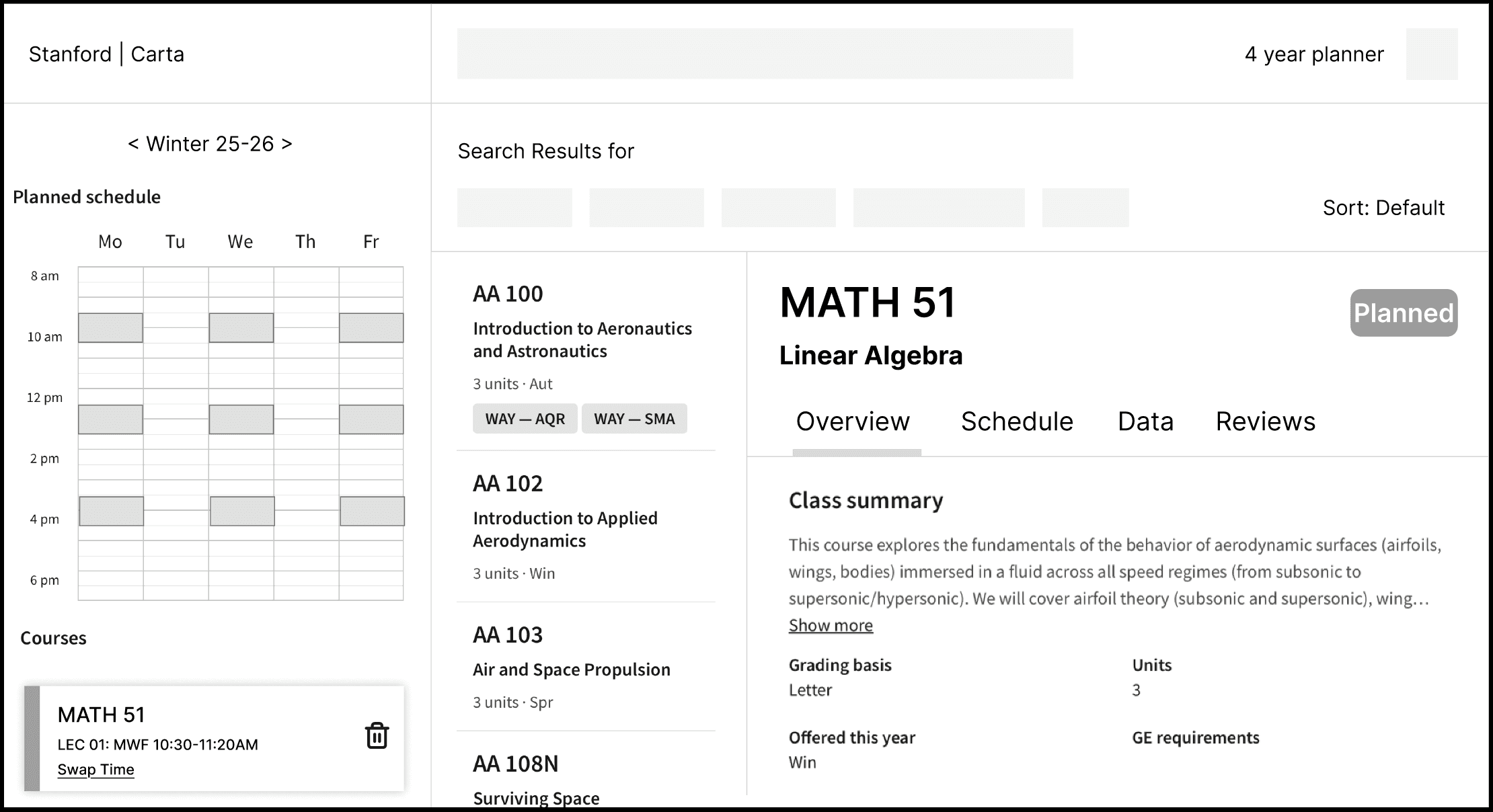
dropdown feature

toggle card feature

calendar click feature

dropdown felt the most clean
and scalable

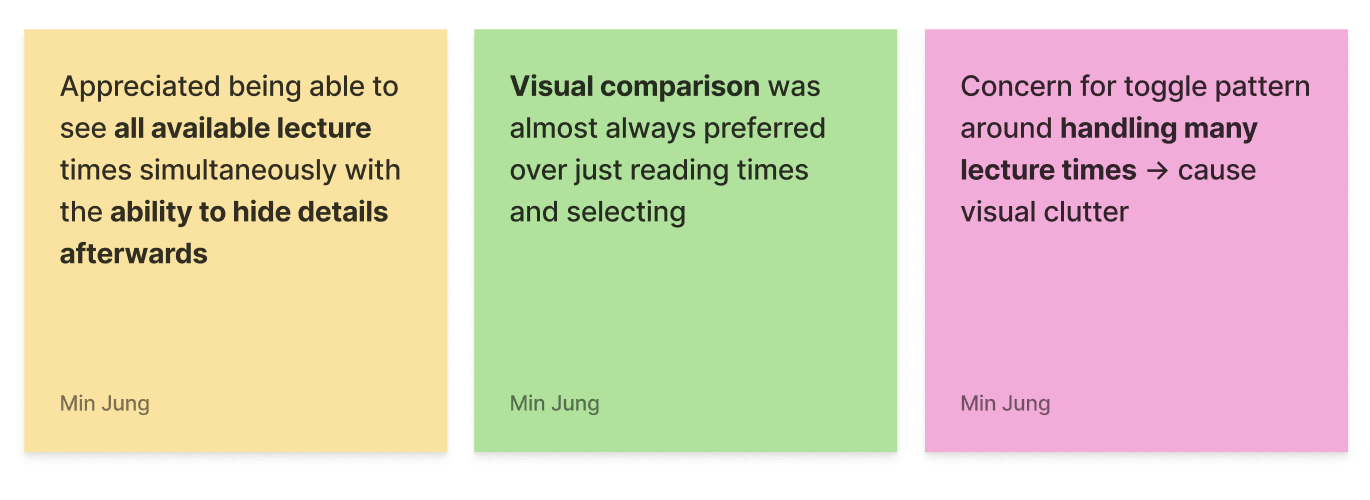
Participants strongly preferred seeing all lecture times immediately while planning without extra clicks.


So the key takeaway was to use dropdown pattern for this feature and keep the interaction within visual cues.

ITERATION

ITERATION

ITERATION

dropdown creates inevitable
visual clutter

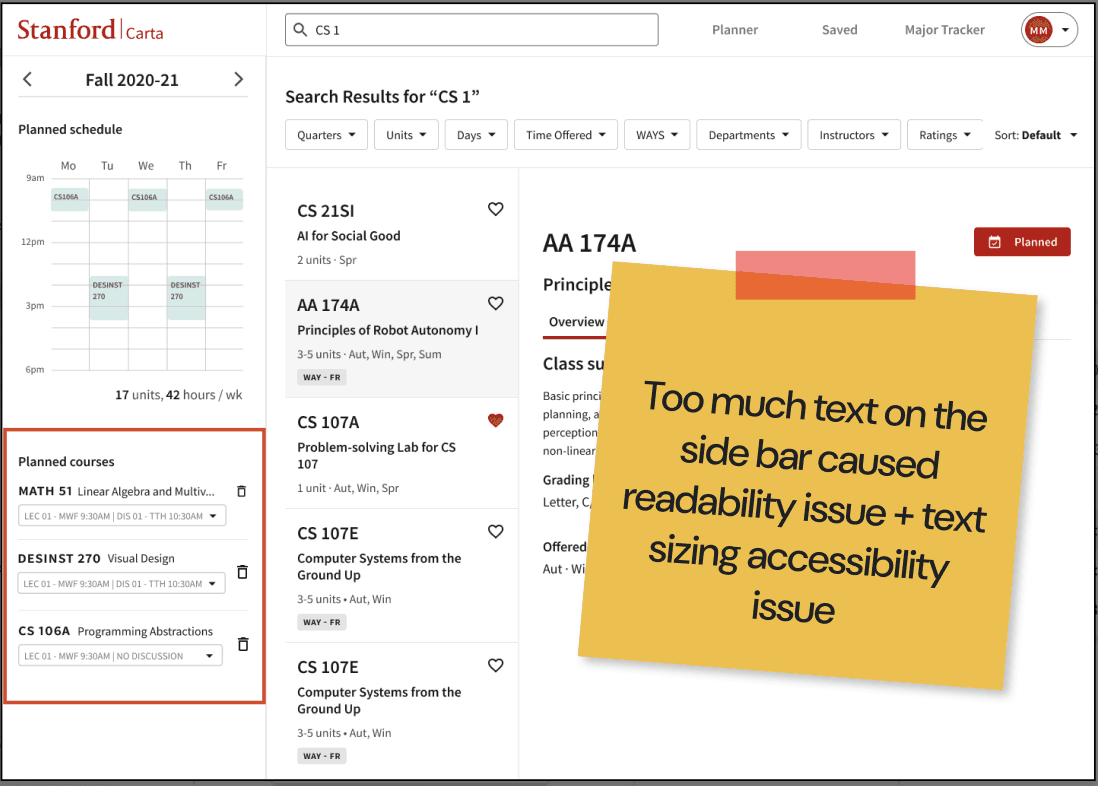
However, I realized the dropdown toggle introduced significant visual clutter in the sidebar.

It felt crowded and difficult to scan.

I ran three additional iterations exploring different layout variations

Trying to fit all the lecture options into a small space made the interface harder to read

backtracking to full-screen flow

I stepped back and rethought the problem, keeping user feedback in mind.


My goal was to find a solution that balanced both needs: maintain context while planning:

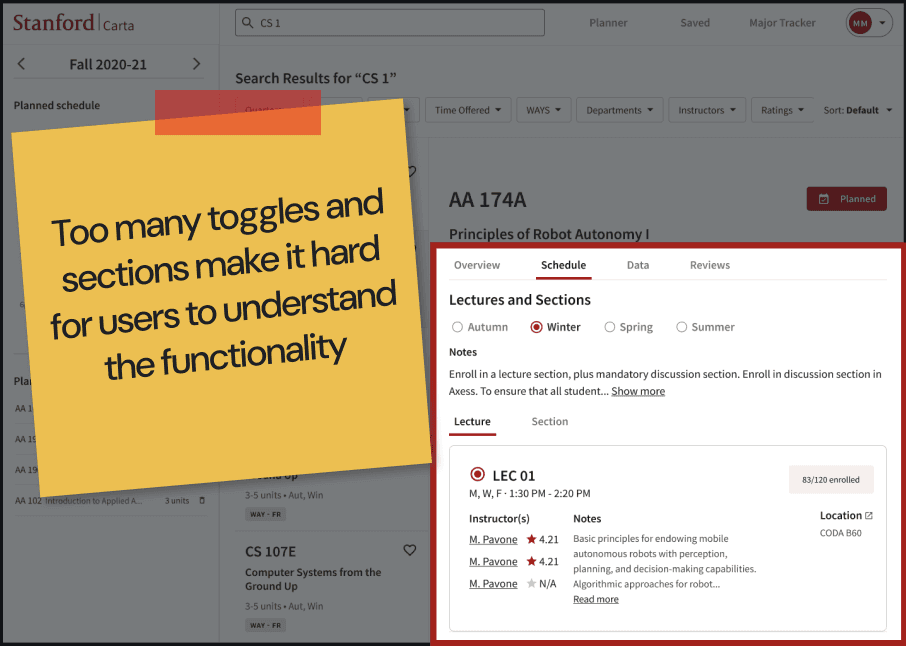
Another unsuccessful design with quarter toggle, lecture/section toggle, and a selection toggle for lectures

SOLUTION

SOLUTION

SOLUTION

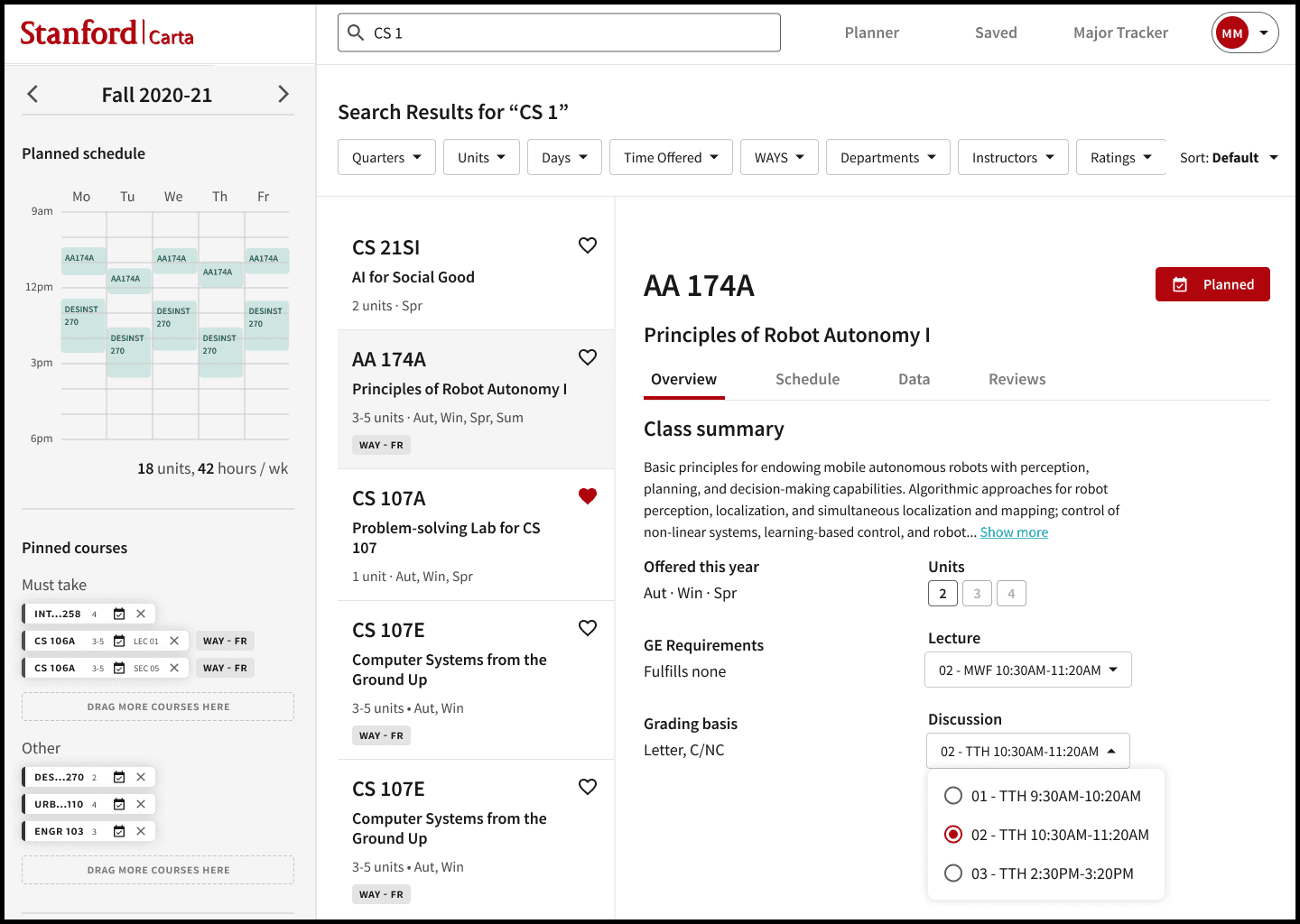
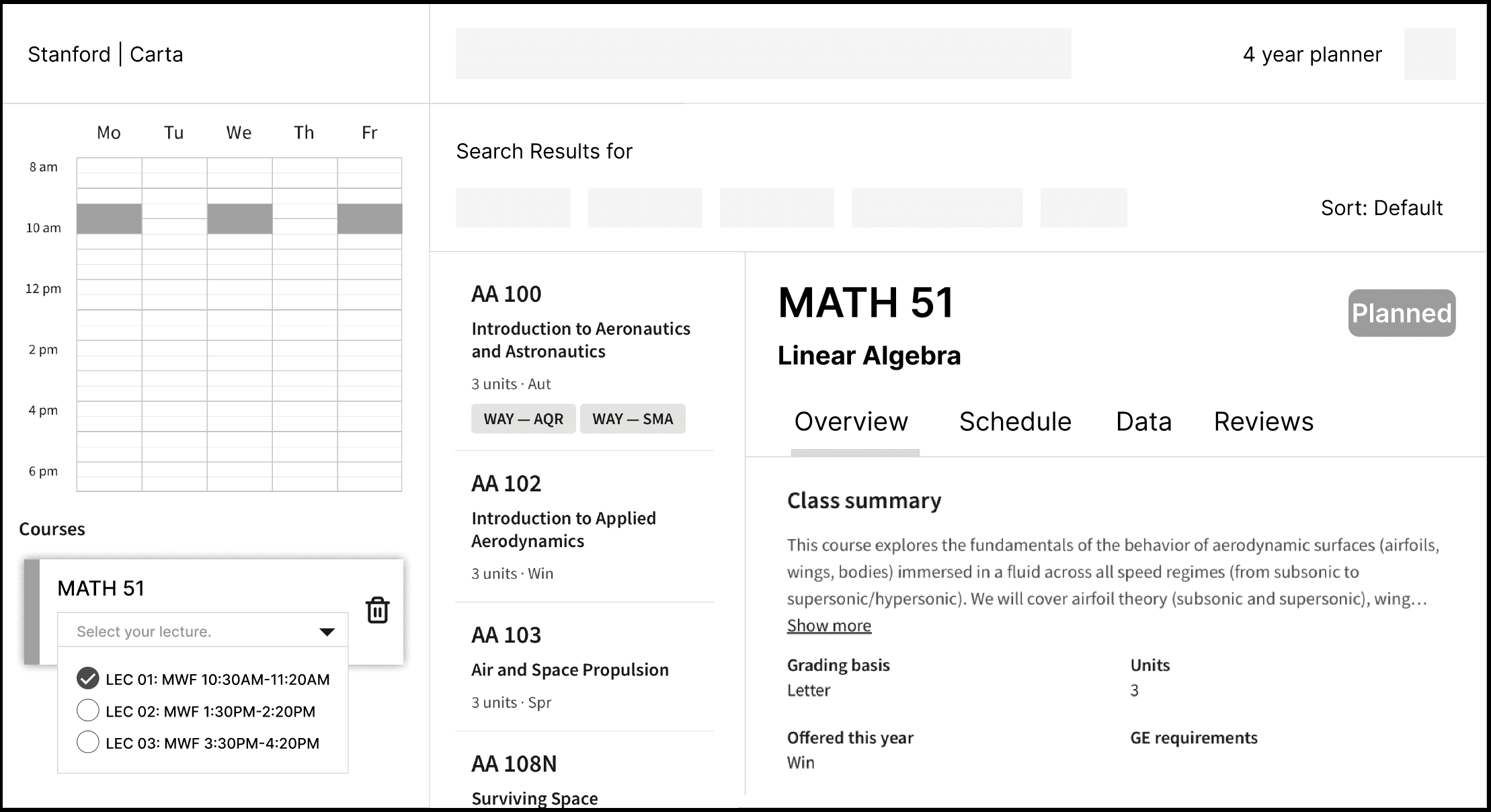
dropdown within overview tab

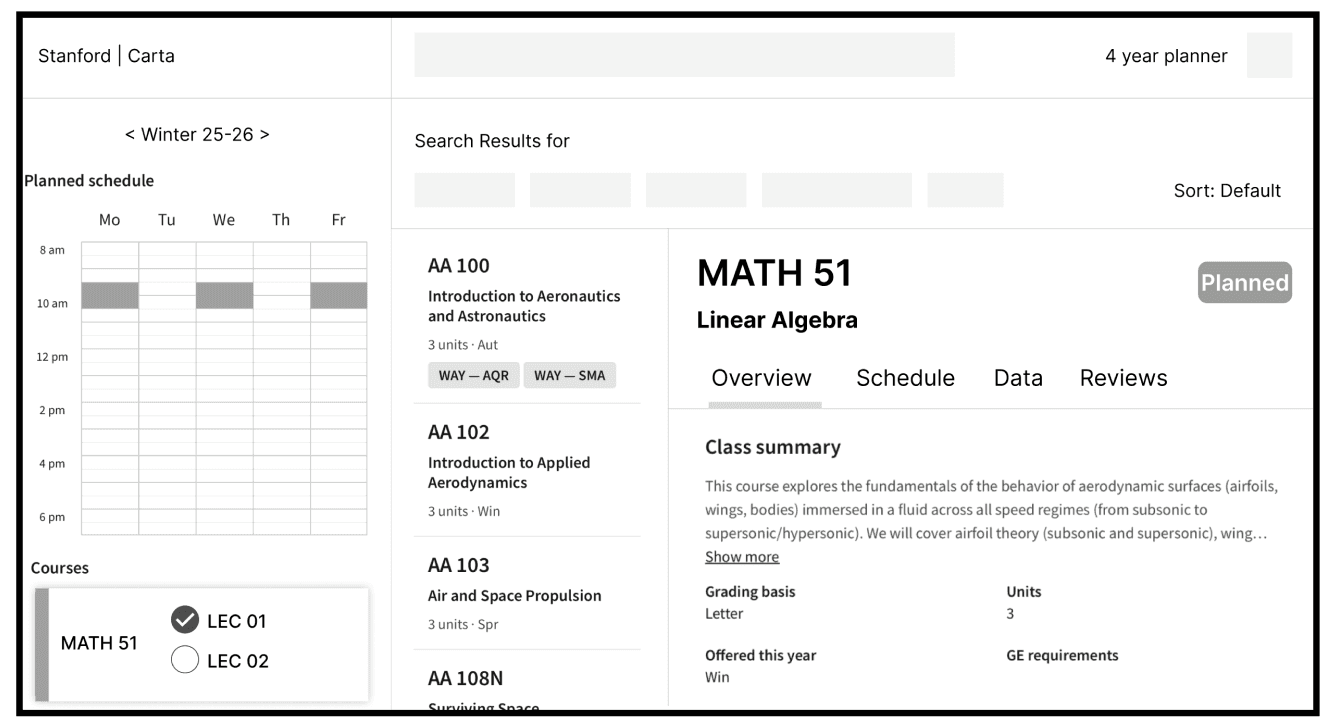
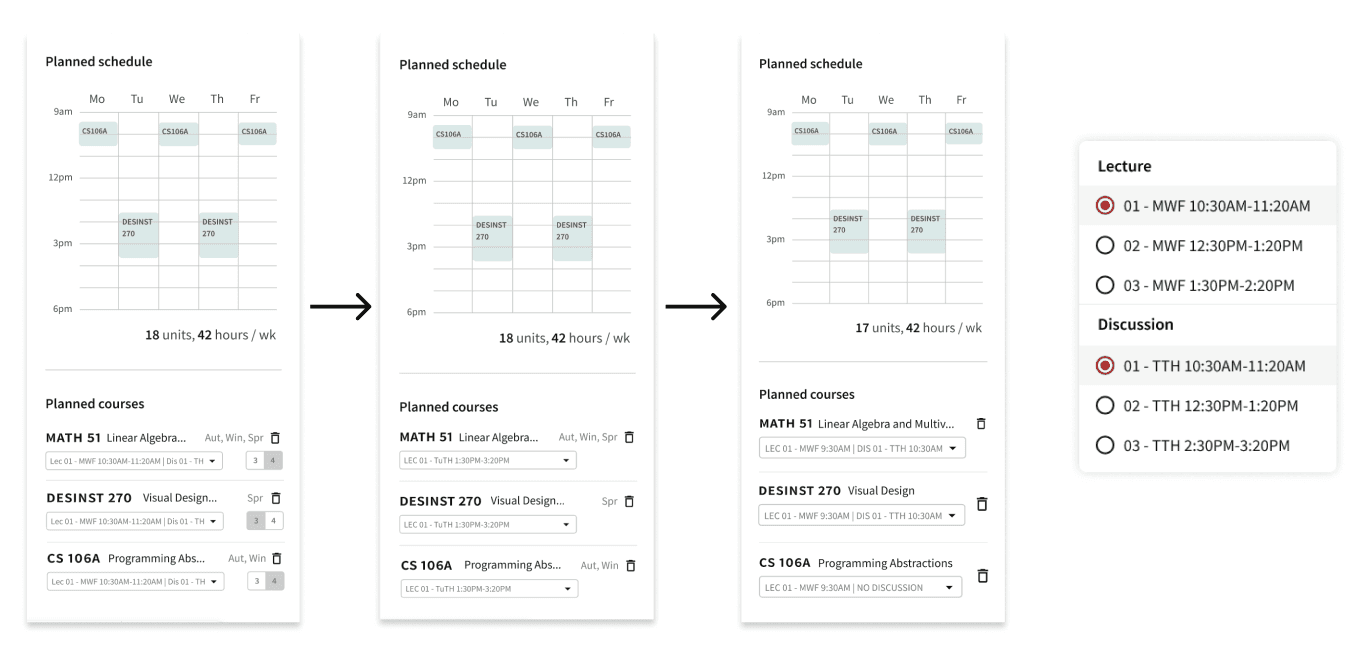
I landed on the final design of placing dropdown in th overview tab. This way, students keep context while experimenting with different lecture and discussion times.

I used previously unused white space in the overview tab instead of the sidebar, which solve the problem of having to cram all the texts into a small side bar.


It also handles edge cases efficiently: if a class has no discussions the dropdown disappears, and if there’s only one lecture option it simply defaults to that time.

ENGINEERING HAND-OFF

documented key design decisions and flows for engineers

Once the design was finalized, I wrote clear design rationales to support implementation for anyone to easily pick up.

My background in front-end engineering helped keeping the communication smooth.

IF I HAD MORE TIME + TAKEAWAYS

conduct longer-term usability testing

I want to run longer-term usability testing during an actual enrollment period with this overview tab. With that I can explore additional edge cases in real course planning workflows.

implement AI-assisted schedule recommendations

I interviewed a student who uses LLMs to help plan their quarter schedule.

It'd be interesting to explore lightweight AI assistance, such as suggesting lecture times that fit best within a student’s schedule or highlighting potential conflicts.

designing around the decision-making contexts

One key lesson was becoming comfortable moving back and forth within my design.

When my initial toggle approach didn’t work, I had to step back, revisit the problem, and return to user testing to find a better direction.

lightweight usability testings throughout my process

It's something now I try to do intentionally given how valuable it is to ground my design in real user behavior.